Secrets: hand your agents keys without pasting them into the chat
Agents now ask for API keys and passwords through a secure card. The value goes to encrypted storage, the agent uses it without ever seeing it, and the chat box catches keys you paste by mistake.
Sooner or later an agent needs a key. Your developer agent is fixing a billing bug and wants to test against Stripe. Your marketing agent needs the password for the staging site. Until now the quickest way was to paste it into the chat, which also put it in the chat history and in front of the AI.
Now there is a proper way to hand over secrets, and a safety net for when you forget to use it.
Your agent asks, you answer in a secure card
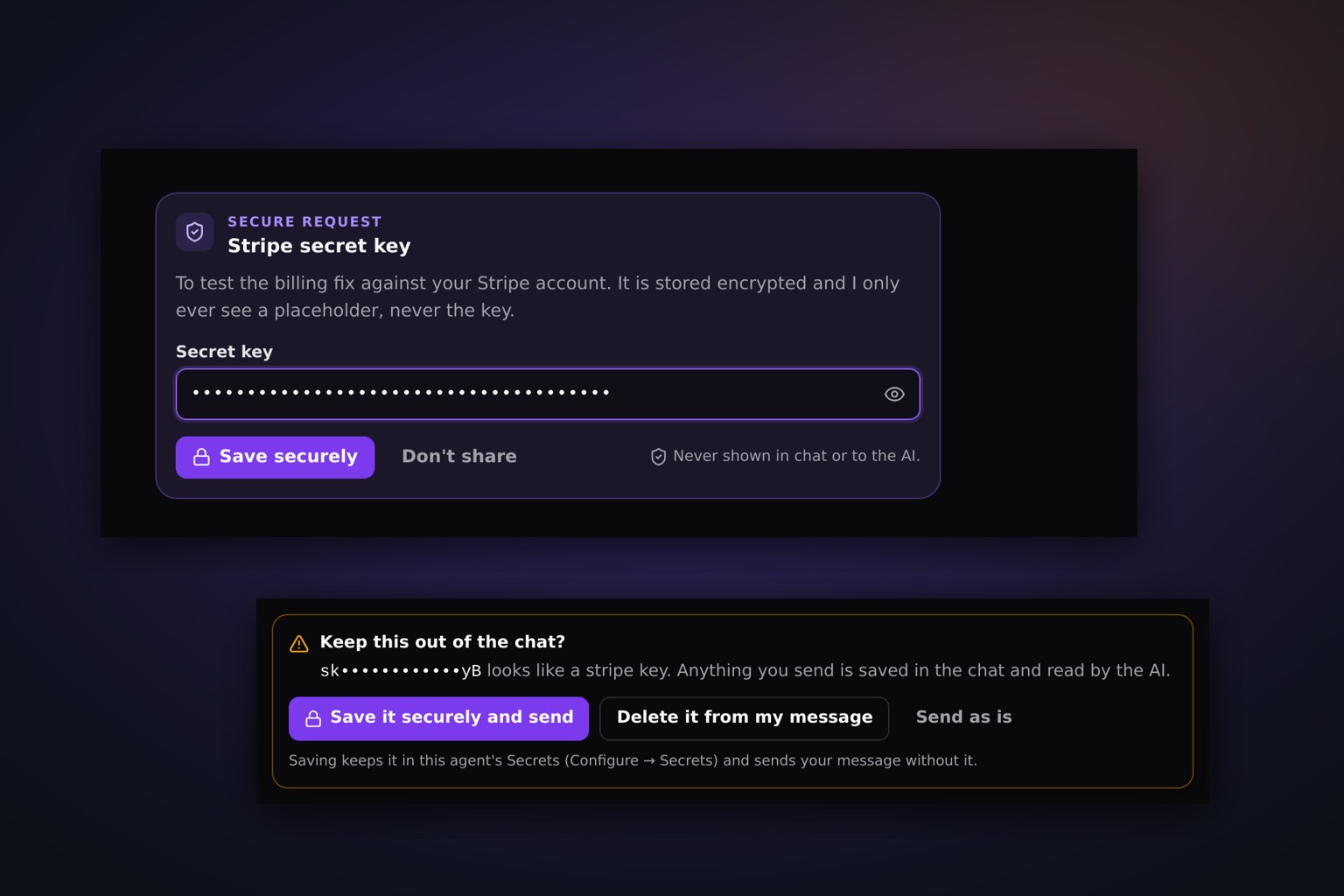
When an agent needs something sensitive, it asks with a secure request card instead of a chat message. The card says what it needs and why, with a field for each part: a key, or a username and password. Hidden fields stay masked unless you click the eye.
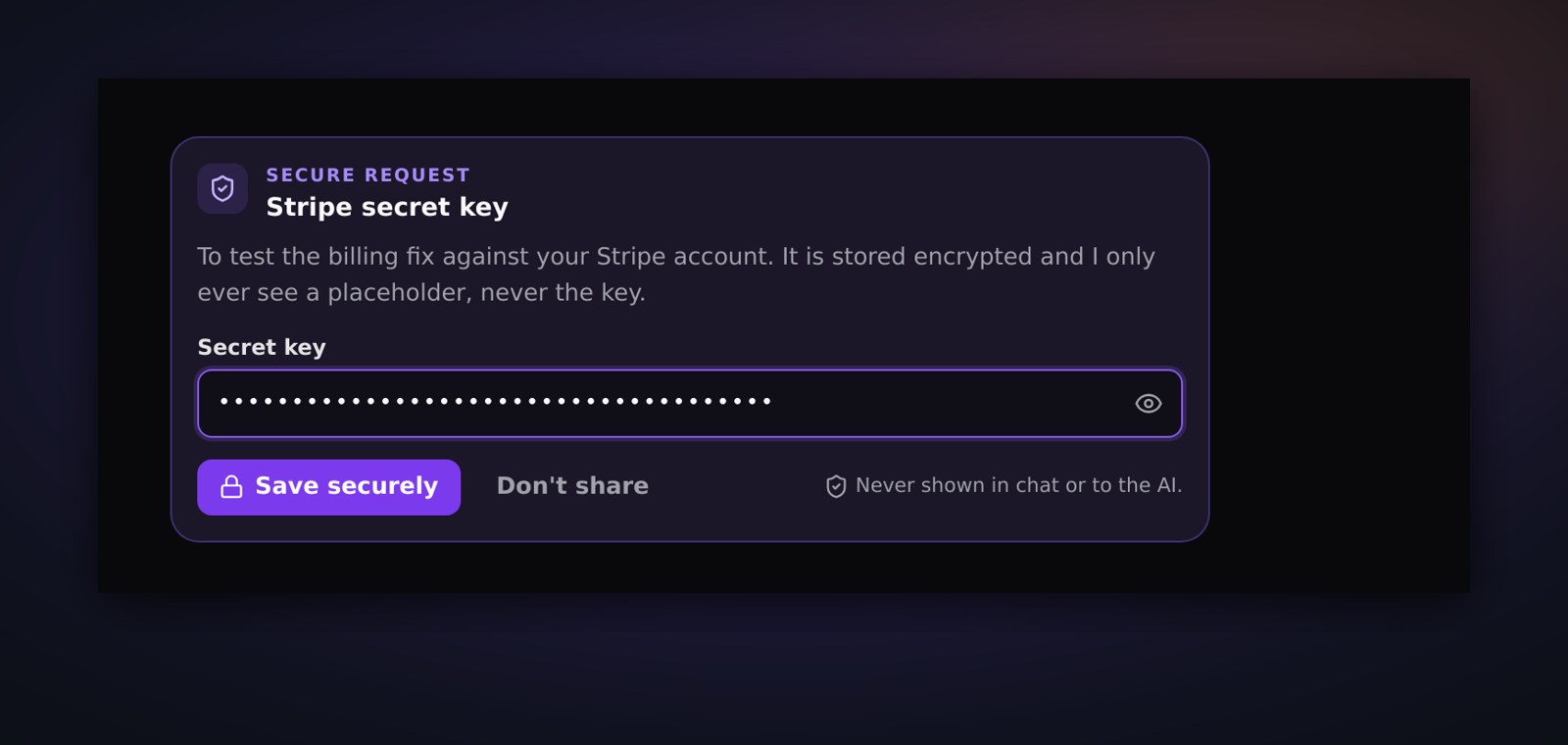
Click Save securely and the value goes straight to encrypted storage. It never appears in the chat, and the AI never sees it. Or click Don't share, and the agent carries on without it.
The agent can use it without ever seeing it
The agent gets a placeholder that stands in for the key. When it runs a command, fills in a field in its browser, or calls a connected app, JackHamr swaps the real value in at that moment, then scrubs it from anything that comes back, including encoded copies. A field typed from a secret stays masked on the page. Each secret is encrypted with its own key and tied to the agent it belongs to.
A safety net for pasted keys
Old habits die hard, so the chat box now checks your message before it goes. If it spots something that looks like an API key, a token, a private key, a card number or a labelled password, it stops and asks:
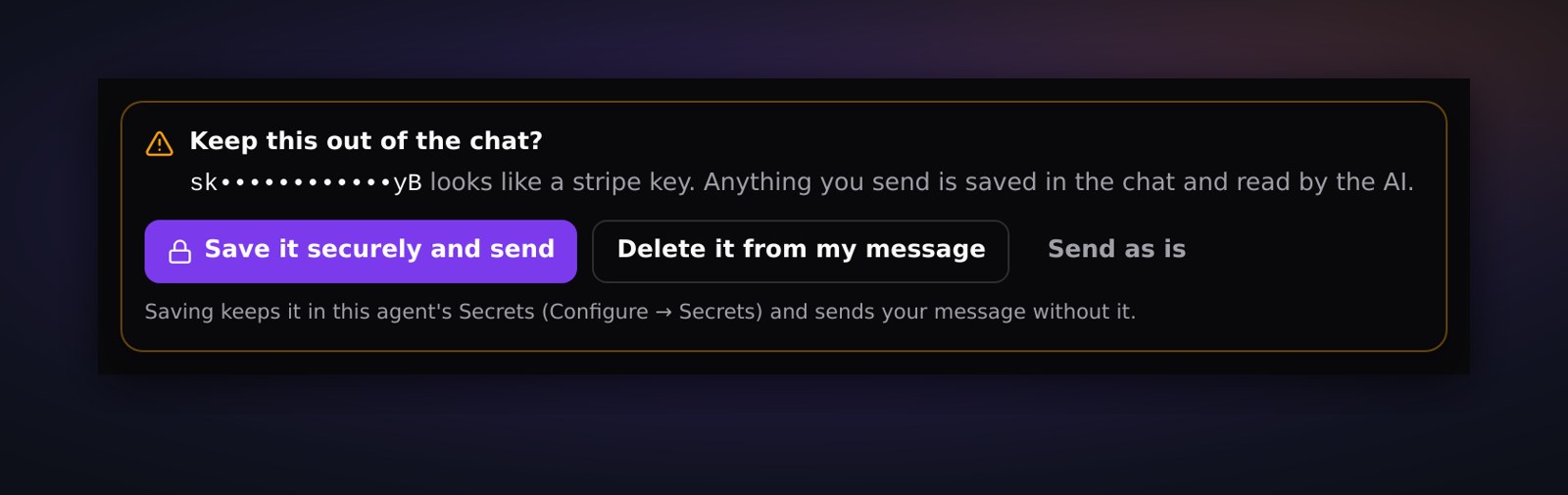
Save it securely and send the rest of your message, delete it from the message, or send it as is if you really mean to.
If a secret does slip through, the agent will not repeat it. It offers to remove it instead, and if you say yes, every copy in that topic, including in the agent's own replies, is replaced with a removed marker.
See what each agent holds
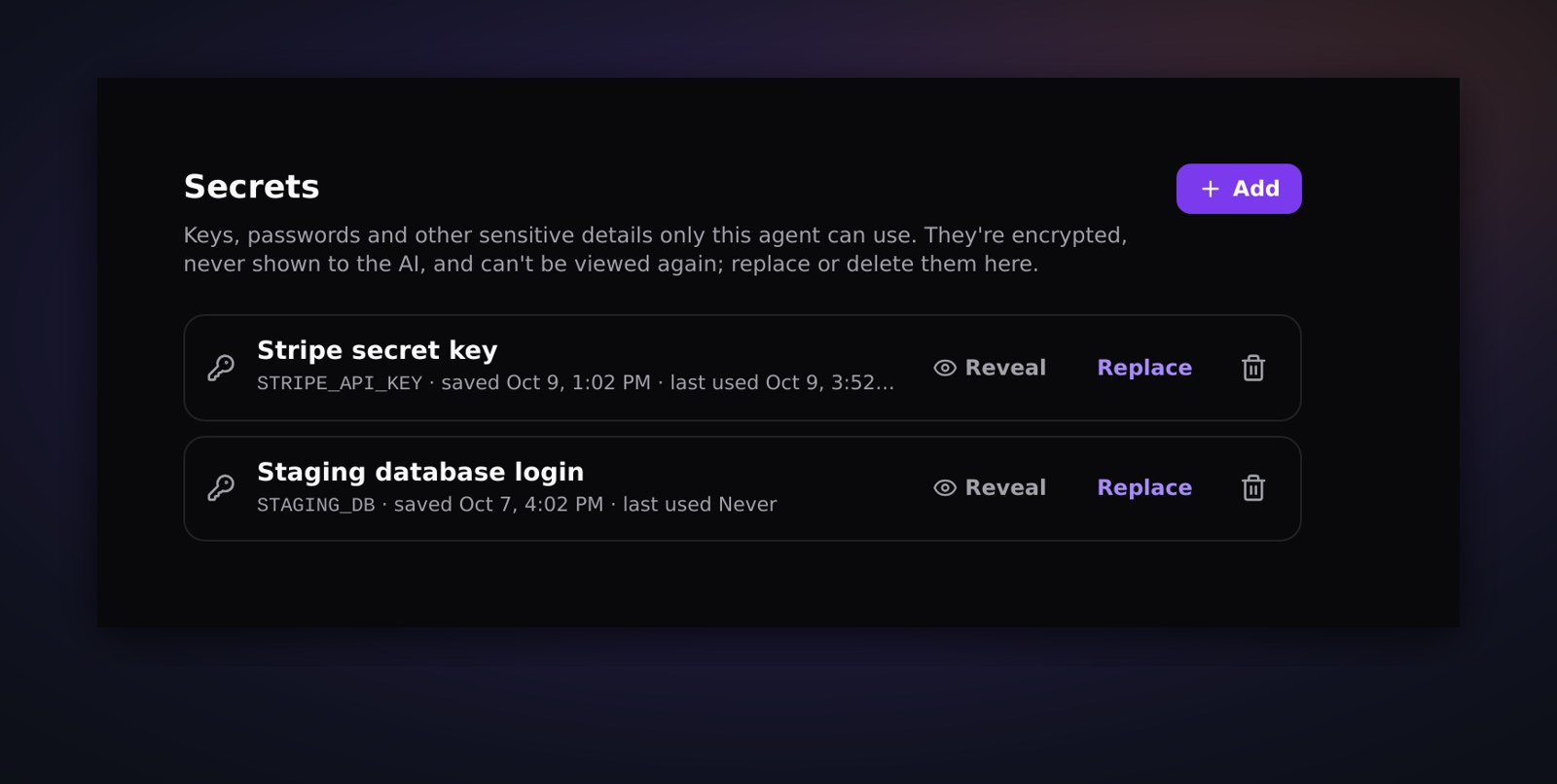
Configure, then Secrets, lists what an agent has saved: names and dates, never the values. Replace a key when you rotate it, delete one the agent no longer needs, or add one yourself before you start a task. Only the person who saved a secret, or the agent's owner, can reveal it.
Secrets are live for every agent today. The next time an agent asks you for a key, you will not have to think about where it ends up.
More releases

The 3D Office: walk around your fleet
Your agents now have an office. Every agent sits at a desk, board tasks get desks of their own, and you can walk the floor, check a monitor, and talk to an agent where it works. Even with a game controller.
2 min read

Artifacts: where the work goes when the chat scrolls on
A per-agent document library with folders, live preview, versions with restore, and a 30-day trash. The documents your agents produce stop getting buried in chat.
1 min read

The fleet gets a window of its own
JackHamr as a native app for macOS, Windows, and Linux. Its own window, notifications that behave, one window per organization, automatic updates.
1 min read