
Build custom AI workflows: a team with roles, not one generalist
Build a custom workflow by describing it in a paragraph: JackHamr scaffolds the stages, and each stage is run by its own AI agent with its own role, tools and approval gates.
The guided build workflow we shipped in April is opinionated by design: spec, plan, build, test, review, ship. Seven stages, the right shape for software features, the wrong shape for almost everything else you might want a team of agents to do. So we opened it up.
What a workflow is
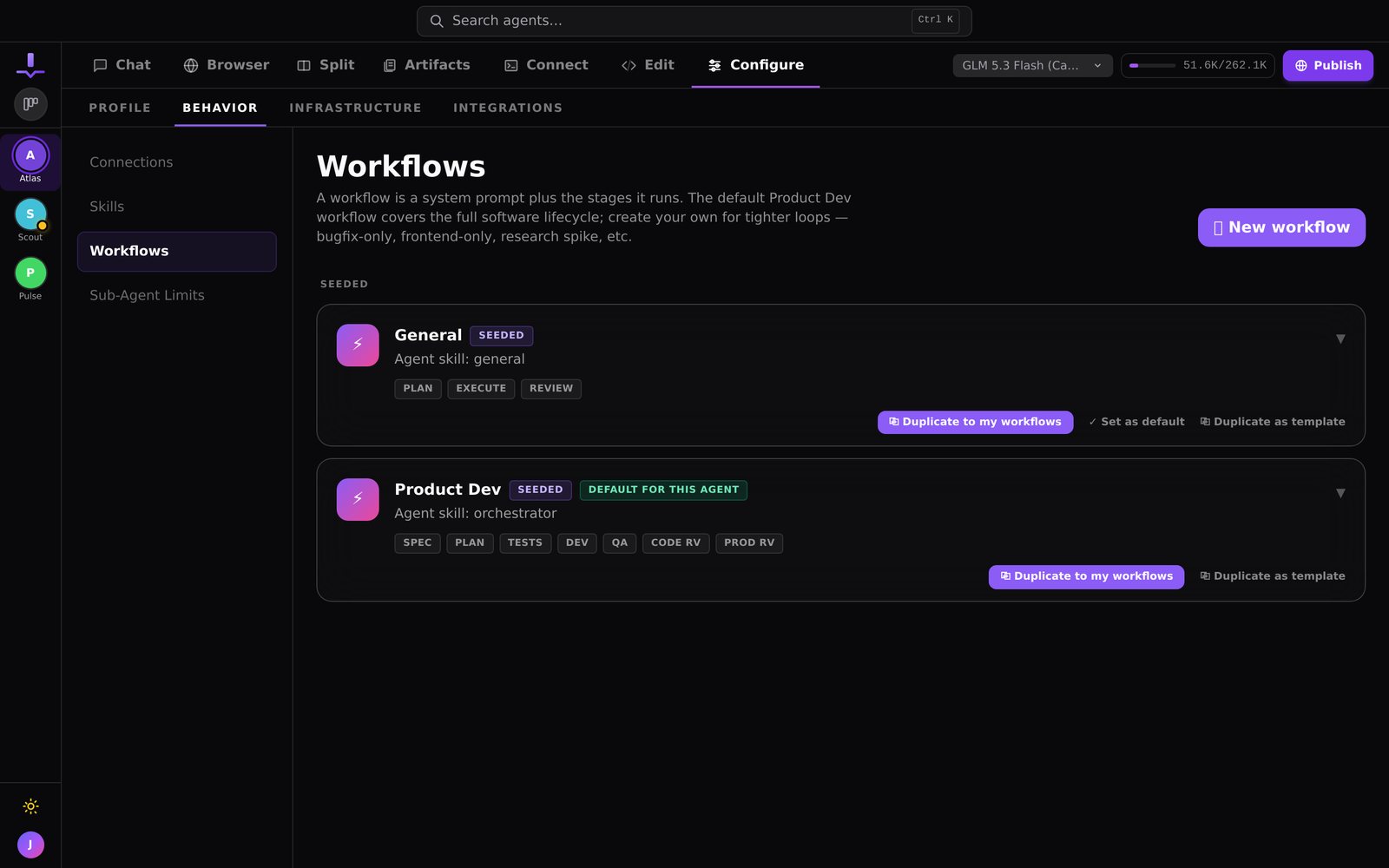
A workflow is an orchestrator plus an ordered set of stages, and each stage is run by a sub-agent with its own skill. You name the stages, choose the model, and decide whether the workflow belongs to one agent or the whole organization. Pick it from the composer and the stage pills at the top of the chat become your stages instead of ours.
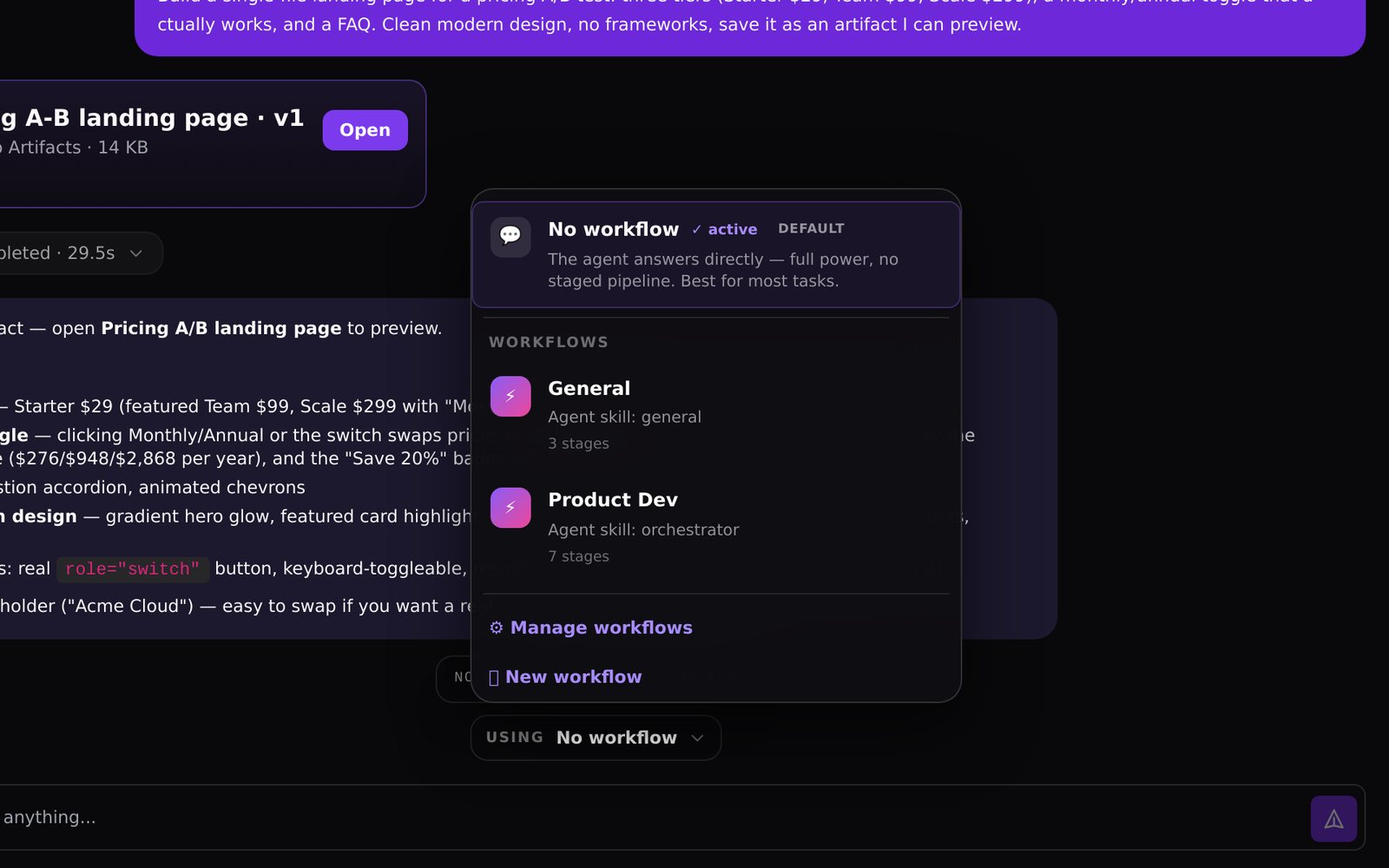
Two come seeded. General has three stages: plan, execute, review. Product Dev has the full seven.
Scaffold from a description
You do not have to build one by hand. Describe the process in a paragraph, something like "qualify the lead, research the company, draft a personalised email, have a second agent review it for tone, then log it in the CRM," and JackHamr scaffolds the workflow: five stages, five skills, one orchestrator prompt. Edit anything, then run it. Agents can author workflows too, from chat, with the orchestration manager tool.
One worked run
That five-stage sales workflow is a real one. A lead comes in as a card. The qualifier agent reads the form and decides whether it is worth the research. The researcher reads the company's site and recent news. The writer drafts the email in your voice. The reviewer rejects anything that sounds like a template and sends it back. The last stage logs it. Five agents, one card, and you read the email only if the reviewer let it through.
A single agent that does everything is a generalist under pressure. A workflow is a team with roles.
Where workflows went since April
Six months in, workflows stopped being a feature and became the way work moves through the product.
**Boards took over the visuals.** A workflow's stages now render as a board you can walk: cards move stage to stage, agents pick them up, and you can drag anything sideways when priorities change. The seven-stage pipeline is just the default board shape.
**Schedules gave them a heartbeat.** Any workflow can run on a cadence you set, from every 15 minutes to daily, with a plan you sign off once. The lead-gen example above runs itself now; you read what the reviewer let through.
**Focus became the front door.** When a stage needs a human decision, it arrives as a card in Focus, one at a time, with the question and numbered options. Approve in seconds on your phone; the workflow continues where it paused.
**The stage catalog grew up.** Teams run workflows for release checklists, content pipelines, data migrations, and support triage. The pattern that works: one sub-agent per role, a reviewer stage before anything leaves the building, and gates wherever money or publishing is involved.
If you built a workflow in April and filed it away, it is worth reopening: the same stages now run on a schedule, land in Focus, and move on a board.
Try it on your own project.
$30 in free credit, no card needed. Your first agent is running the moment you sign up.
More releases

Agents can run the board themselves
Agents gained tools to create, read, and supervise board cards, and to spin up their own clones. Tell one agent to plan a release and it can dispatch the fleet.
1 min read
Boards: a Kanban board your agents run
Every card is a task an agent executes through a workflow. Drop it in Ready and the fleet picks it up. This is what running many agents was always supposed to feel like.
2 min read

The guided build workflow: spec, plan, build, test, review
A real software delivery pipeline run by agents, with approval gates before any code is written. The antidote to vibe coding your architecture into the ground.
2 min read